
Fixing problems
Use the Problems window to catch model mistakes before a run, read SWMM's errors and warnings in plain language after it, and zoom to the objects involved.
The Model Check / Problems window has two tabs. Tools > Model Check / Problems... opens it on Model check; Report > Problems opens it on Last run. Each tab shows how many errors, warnings and notes it holds.
Read a problem row
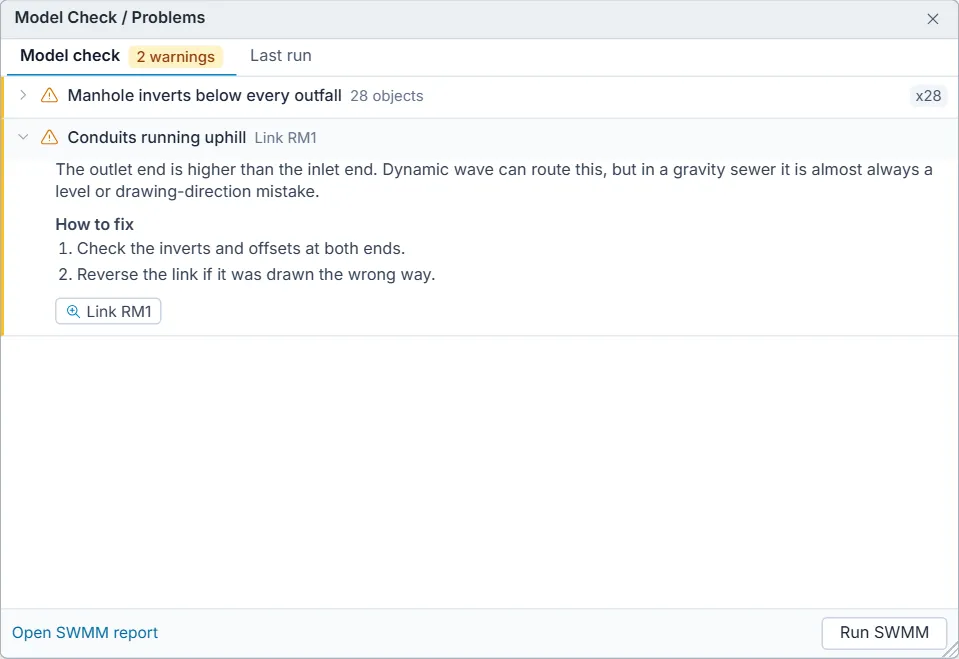
- A red bar marks an error (SWMM will stop, or the results cannot be trusted), amber a warning (SWMM runs but changes or weakens the results), blue a note.
- The row names the problem, the SWMM error or warning number when SWMM has one, and the object or the number of objects involved. A count such as x28 means several objects or report lines were folded into one row.
- Click the row to open it: what it means, a How to fix list, and a button for each object. Click an object button to select it and centre the map on it. Long lists show the first 40 objects, with Show all for the rest.
- For a row read from SWMM's report, the original line is shown at the bottom, after SWMM:.
At the bottom, Open SWMM report opens the status report and Run SWMM runs the model and switches to the Last run tab.
What Model Check looks for
Model check runs again on every edit, so the list is always current. It catches the mistakes that make SWMM refuse a sewer or storm drain model, or run it and quietly change it.
| Check | Grade | SWMM code |
|---|---|---|
| Duplicate IDs | Error | Error 207 |
| Links joined to nodes that do not exist | Error | Error 209 |
| Subcatchment outlet name is ambiguous (the ID is both a node and a subcatchment) | Error | Error 108 |
| No outfall in the network | Error | Error 145 |
| Outfall with more than one link | Error | Error 141 |
| Nodes with no links | Warning | |
| Manhole inverts below every outfall | Warning | |
| Conduits with zero length | Error | Error 111 |
| Conduits with no roughness | Error | Error 113 |
| Links with no cross section | Error | Error 117 |
| Cross sections with zero size | Error | Error 211 or 119 |
| Conduits running uphill | Error with kinematic wave or steady routing, warning with dynamic wave | Error 115 |
| Flat conduits | Warning | Warning 04 |
| Conduit ends below the manhole invert | Warning | Warning 03 |
| Slopes below the Minimum Conduit Slope | Warning | Warning 05 |
| Conduits that fall more than their length | Warning | Warning 08 |
| Offsets above the manhole depth | Warning | Warning 02 |
| Pipe crown above ground level | Warning | Warning 02 |
| Pipe size decreases downstream | Warning | |
| Subcatchments without a rain gauge | Error | Error 209 |
| Subcatchments without an outlet | Error | Error 209 |
| Imperviousness outside 0 to 100% | Error | |
| Subcatchments with zero area or width | Error | |
| Routing step too long for the shortest conduits (dynamic wave only) | Warning, or a note when Variable Time Step is on |
The routing step check works out, for each conduit running full, the longest step that keeps it stable (the Courant condition) and lists the conduits that need a shorter step than the one set, with the step to use.
What Last run lists
After a run, the Last run tab reads SWMM's report and lists:
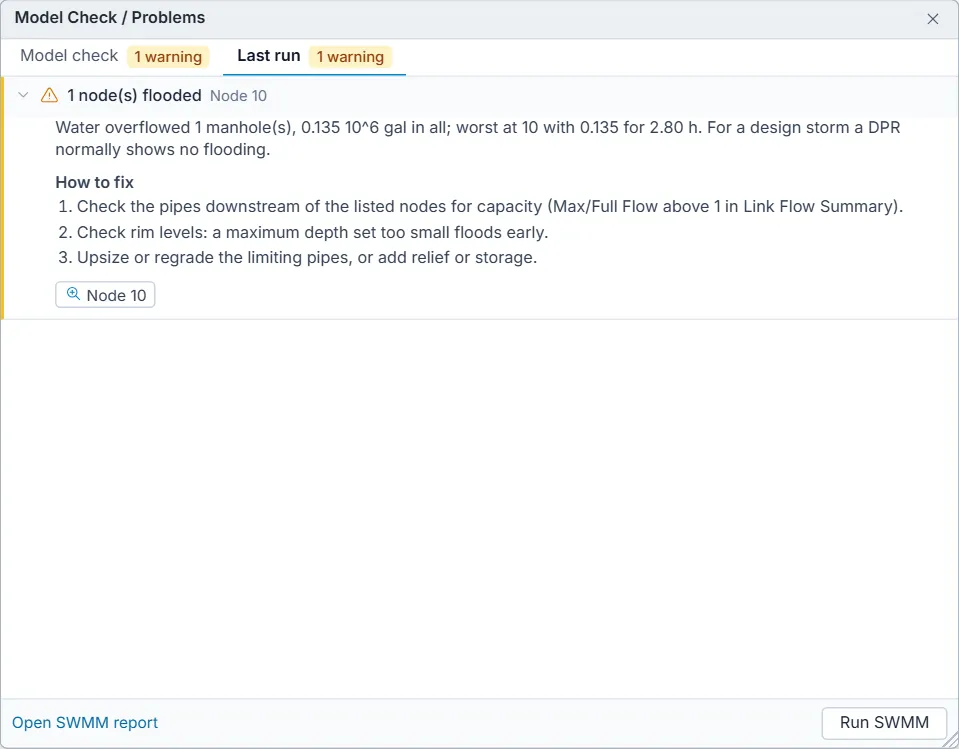
- Every ERROR and WARNING line SWMM wrote, with its meaning and fixes in plain language. Input errors name the section and line of the .inp file and quote the line. DrainPilot explains SWMM's run and input errors (101 to 235), its warnings (01 to 12) and its file errors.
- Continuity errors above 1 % for flow routing, runoff and groundwater: a warning up to 5 %, an error above. See Running a simulation.
- Flooded nodes, with the total volume and the worst node, as a warning: for a design storm a DPR normally shows no flooding.
- Surcharged nodes, as a note: water rose above the crown of the highest pipe, which in a sewer designed to run part full means the pipes are short of capacity.
- The elements that limit the time step (from SWMM's time step critical elements), as a note.
- Links with oscillating flow, whose flow instability index is 10 or more, as a warning.
- The share of routing steps that did not converge, when it is above 1 %, as a warning.
If the model has changed since that run, the footer says so. If the last run failed, the tab shows SWMM's error even when the report has no ERROR line.
Common fixes
| Symptom | Usual cause | What to do |
|---|---|---|
| Error 145, no outfall | The last drain ends at a junction. | Add an outfall at the point of discharge and connect the last conduit to it. |
| Error 209 on subcatchments | A subcatchment has no rain gage or no outlet. New subcatchments have no outlet. | Set Rain Gage and Outlet in the Property Editor. |
| Warning 02, offsets above the manhole | Junction Max. Depth left at 0, or a diameter typed in millimetres. | Enter invert-to-rim depth in metres and diameters in metres. |
| Many flooded nodes | Rim levels too low, or pipes short of capacity. | Check Max. Depth; find pipes with Max/Full Flow above 1 in the Link Flow Summary of the status report; upsize or regrade them. |
| Large continuity error | Routing step too long, very short conduits. | Shorten the routing step, turn on the variable time step, merge short conduits. |
| Run was not started | A rainfall or other data file is not attached. | File > Attach Data Files... |